Individual limits
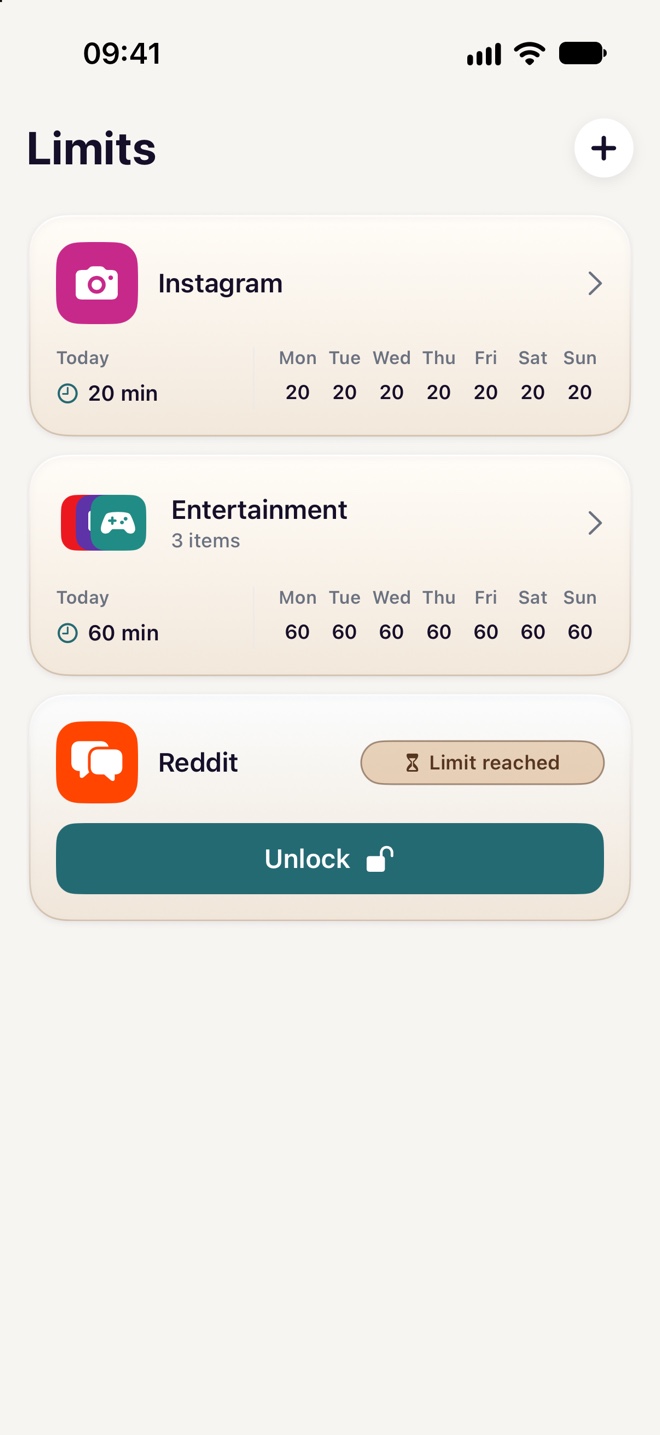
Give an app or website its own daily allowance. Set a different allowance for each day of the week.
 Svala
For iPhone and iPad
Set daily time limits, block distractions on a schedule, and take a pause before unlocking more time with a Svala Annual subscription.
How it works
Give apps and websites a daily allowance or block them during hours you choose. Svala uses Apple’s Screen Time controls to apply your rules once you grant permission.
Give an app or website its own daily allowance. Set a different allowance for each day of the week.
Give several apps and websites one shared allowance. For example, set aside 30 minutes a day for your social apps combined.
Choose what to block, on which days, and at what times. Keep distractions out of work hours, study time, or bedtime.
Try a math, typing, or memory challenge or take a guided Eye Break to unlock more time. A brief emergency unlock can give you quick access when available.
Daily limits, scheduled blocks, and temporary unlocks require a paid yearly subscription. The App Store shows the price and a 14-day free trial if you’re eligible. The subscription renews yearly unless canceled.
Your limits, schedules, and Screen Time selections stay on your device. Svala has no ads or tracking and requires no Svala account.